
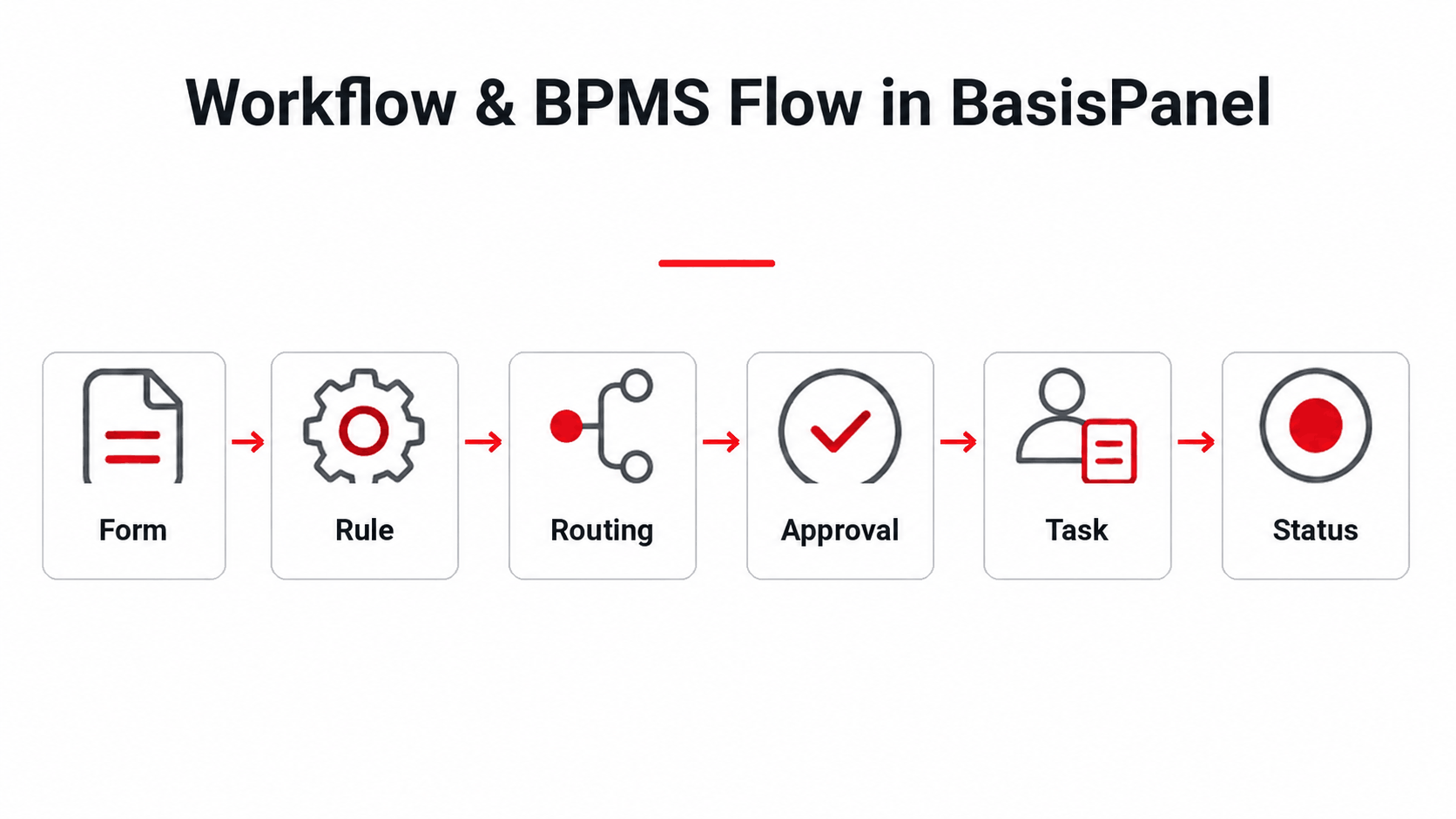
Form
Collect the information needed to start the process. A request enters the workflow with the required data already attached.
Workflow Management in BasisPanel
Bring forms, routing, approvals, and actions into one trackable process.
If you own or manage a process, you need to know where each request stands, who is responsible for the next action, and what decision has been made.
Workflow & BPMS in BasisPanel brings forms, routing, rules, approvals, tasks, and process status into one defined flow. This makes the process easier to follow and reduces dependence on scattered messages and manual follow-up.
You can start with one clear, repeatable process and expand the scope step by step after the first workflow has been reviewed.
It is useful when work moves forward, but ownership, approvals, and status are difficult to follow.
Workflow & BPMS is most useful when a process has several steps, more than one owner, or a defined approval path. Information needs to move from one stage to the next, and the outcome of each decision should lead to a clear next action.
Common signs that a process needs a more structured flow include:
A trackable workflow is built from a small set of clearly defined elements.
In BasisPanel, the main parts of a process can be connected in one flow. Each element has a specific role, and the result of one step determines what happens next.
Collect the information needed to start the process. A request enters the workflow with the required data already attached.
Send the request to the person or team responsible for the next step, based on the structure defined for that process.
Define how a request should continue under different conditions, so repeatable decisions rely less on ad hoc judgment.
Keep the approval decision inside the workflow. An approval, rejection, or return for correction can determine the next step.
Turn a decision into a defined piece of work for the responsible person. The workflow can continue from decision to execution.
Keep the current stage visible so the process owner can see where the request stands.
Each request starts from a defined point and continues according to rules and recorded decisions.
The exact path depends on the process. The basic workflow logic, however, can be explained in five clear steps:
A user submits a form or request and the required information enters the process.
The defined conditions are checked to determine the appropriate next path.
The request moves to the responsible person or enters an approval step.
The decision can create a task, continue the process, reject the request, or return it for correction.
The current stage remains visible so the people involved can see where the process stands.
A suitable workflow has a clear starting point, a responsible owner, and a next action that can be tracked.
The examples below show how the documented Workflow components can work together in a real process. The exact flow should be defined for the needs of each company.
A request is submitted, routed to an approver, and the decision determines the next step.
Form information is checked and the request is routed to the appropriate person or team based on a defined rule.
Once an approval is recorded, the next task is assigned and the process status moves forward.
If information is incomplete or needs revision, the request returns to an earlier step and re-enters the review path after correction.
Each stage has a defined owner. When one step is complete, the work moves to the next responsible person while the status remains visible.
Software works best when the process owner, responsibilities, and main decision rules are clear.
To use Workflow & BPMS effectively, start with a specific process. The process owner, starting point, people involved, and expected result should be clear enough to define the first workflow.
Workflow & BPMS is part of BasisPanel. It should not be presented as a complete ERP, a standalone CRM, or an automatic replacement for every existing business system.
The documented components are forms, routing, rules, approvals, tasks, and process status. These elements can be arranged in one flow so a request can move from its starting point to the next action.
Yes. Tasks and next actions are part of the documented workflow scope. An approval decision can determine how the process continues.
No. The recommended approach is to start with one limited, repeatable process that has a clear owner. The scope can be expanded after the first workflow has been reviewed.
No. BasisPanel should not be positioned as a complete ERP or a standalone CRM. Workflow & BPMS is one BasisPanel capability for structuring process flow, approvals, tasks, and status.
The selected process, process owner, start and end points, people involved, input information, main decision rules, and expected result of the first workflow should be clear enough to define the initial scope.
In that case, the process should be clarified before it is configured as a workflow. The separate Workflow & BPMS Design service covers process discovery, design, configuration, and trial execution.