
Content reuse
Use one record across multiple pages, sections, or outputs.
BasisPanel Core Capability
Define content structures, manage access and publishing, and reuse approved content across connected experiences.
When content is spread across files, pages, and separate tools, routine updates can depend on repeated coordination and technical support. BasisPanel gives content, marketing, website, and editorial teams one place to define and manage structured content.
Create content types, fields, relationships, categories, media, and access rules around how your organization works. The same content record can be reused across multiple pages or outputs, while approved content can also be connected to websites, forms, or BasisAssistant when needed.
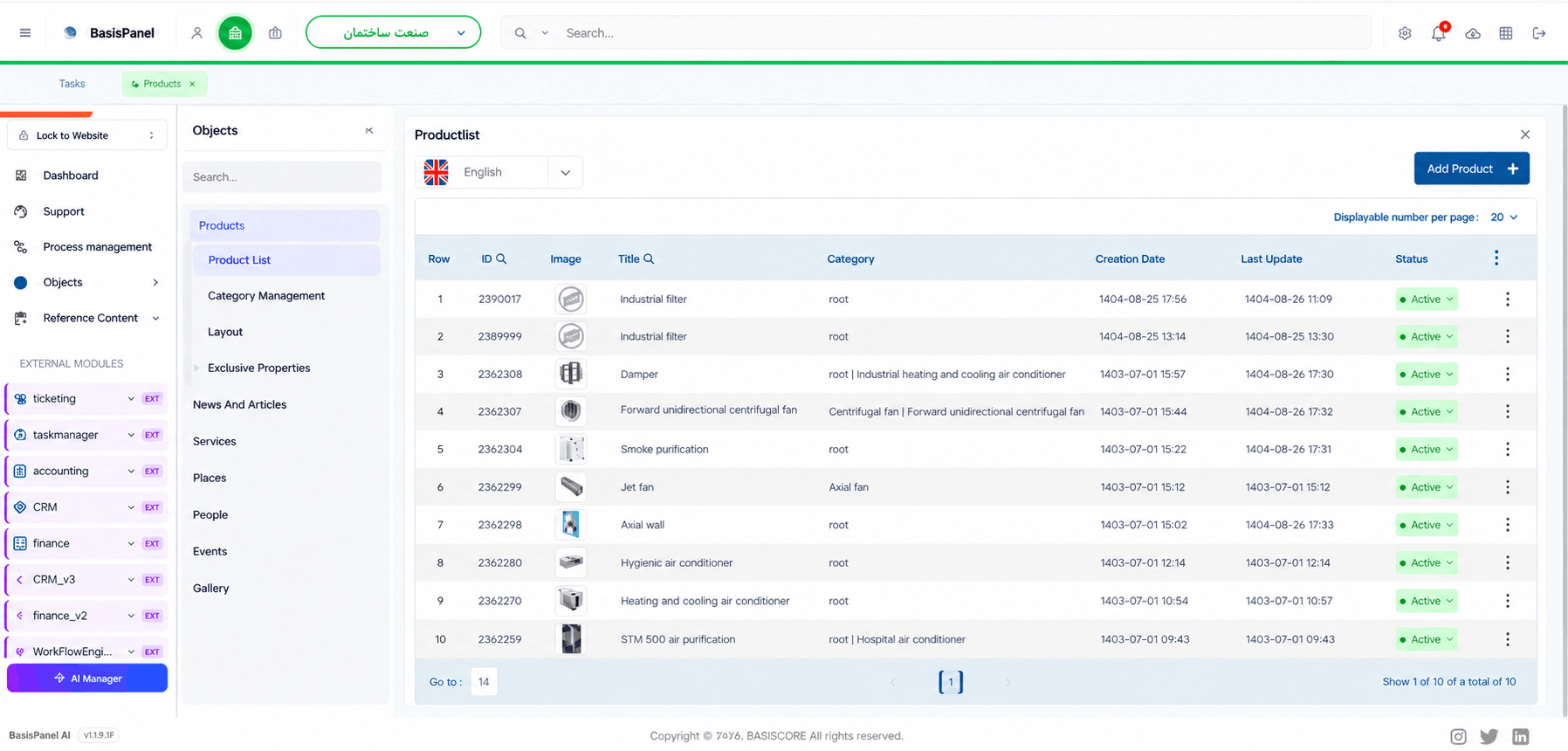
You are not limited to a fixed set of templates
In BasisPanel, each type of content can have its own structure. Website pages, articles, news items, products, services, FAQs, landing pages, catalogs, files, images, and other structured content can be created and managed as distinct content types.
Content types can be preconfigured, and an authorized administrator can also create new types directly in the panel. In the standard setup, defining a content type and managing its fields does not require intervention from the Manzoomeh technical team.
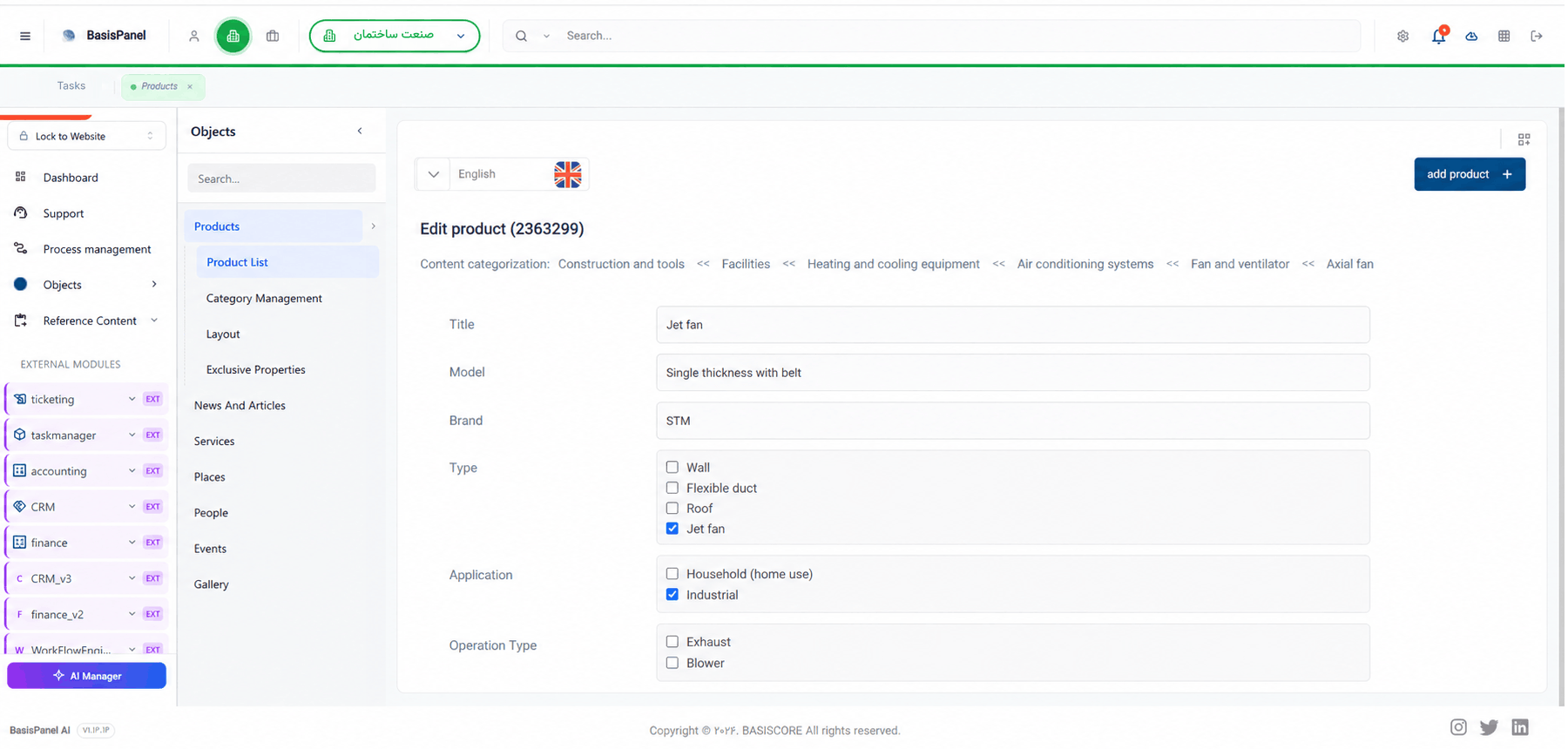
Each content type is schema-based. This means the organization can define what information belongs in each record, how fields behave, and how one content record relates to another.
Short text, long text, and rich text fields
Images, files, links, numbers, date and time
Single-select, multi-select, and boolean values
Repeatable lists
Relations to other records or content
Required fields, validation, format, default value, and display order
Categories, tags, and content grouping
Give each user the access their responsibility requires
Content can be prepared as a draft and move through a review or approval step before publication. Roles and access levels determine who can work with content structures, manage records, and publish content.
This keeps day-to-day content work inside the same management environment while separating editorial responsibilities from permissions that should remain restricted.
Create or edit content.
Review or approve it through an authorized role.
Publish the content.
Use the published content in the defined output.
Avoid maintaining separate copies of the same information
A single content record can be used across multiple pages, sections, or outputs. Shared information does not have to be maintained as a separate content item for every place where it appears.
Content records can also be related to other entities. For example, a product can be connected to a category, an article to related content, or a record to a file, image, form, or another page.
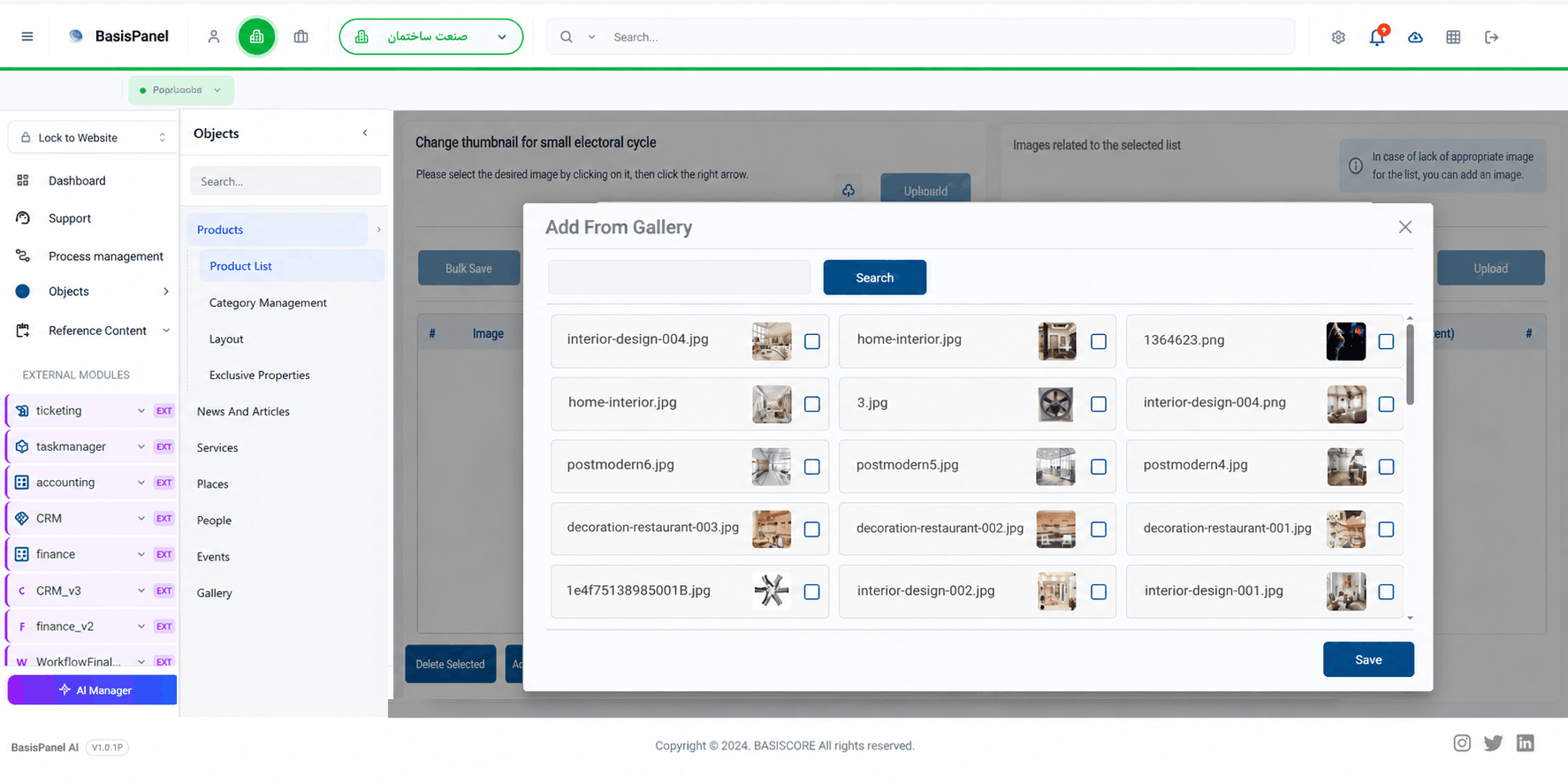
Media Library is part of Content Management and supports uploading, storing, selecting, and reusing files and images across content.
Use one record across multiple pages, sections, or outputs.
Connect content, categories, files, images, and related records.
Keep files and images in one managed library and reuse them where needed.
Keep the information around each content item in the same structure
SEO information can be managed as part of the same content structure. Page title, meta description, slug, canonical URL, and social-sharing title and image are supported fields for content that is used on the web.
Multilingual content and local versions are also part of Content Management. For scenarios that need deeper guidance on language, market, or local-version delivery, see Localized & Multilingual Versions.
AI-assisted page drafting and structured content creation are also within the scope of this capability. The draft can then continue through the same content-management process. The dedicated Page Drafting & Structured Content Creation page covers that experience in more detail.
Page title
Meta description
Slug
Canonical URL
Social-sharing title and image
Multilingual content and local versions
AI-assisted page drafts and structured content
Native connections and external integrations follow different paths
Within the Manzoomeh ecosystem, content can be used directly by websites and services in the BasisCloud Web path. BasisPanel, the required content structure, and the content itself must be active and defined.
For forms, the required relation or mapping is configured in BasisPanel. The Form-to-Workflow Integration page covers what happens after form data enters a workflow, so process logic is intentionally kept outside the scope of this page.
Content can also be connected to BasisAssistant so the assistant can use approved content sources. BasisAssistant must be active, and the relevant sources and access rules must be configured for the use case.
If the destination is a website or system outside the Manzoomeh ecosystem, content can be provided through an API. This is not described as native publishing: API access, technical permissions, mapping, and the destination integration need to be reviewed for the specific project.
Separate supported content operations from project-specific requirements
Content Management in BasisPanel is responsible for content structure, content data, and the content lifecycle. Visual page design, themes, and layout are outside this capability and belong to the website layer.
The following items are not standard Content Management capabilities in the current release:
Full-page or full-website preview before publishing is not provided.
Publishing or unpublishing cannot be scheduled for a future date or time.
Published content is not returned to Draft or Unpublished as a standard capability.
Content version history, version comparison, and restoring a previous version are not provided.
Deleted content cannot be recovered from within the module and should be treated as permanently deleted.
Bulk content import and export are not part of the current standard scope.
Migration from WordPress, static websites, or another CMS is not a standard feature of this module.
Direct publishing to mobile apps, social networks, online stores, email newsletters, or third-party platforms is not part of the standard scope.
External integrations, custom API mapping, and special migration or publishing requirements may be reviewed as a separate project scope.
This page does not publish a fixed public limit for the number of content records, content types, fields, users, roles, files, or outputs. Practical capacity depends on service resources and deployment conditions.
Website pages, articles, news items, products, services, FAQs, landing pages, catalogs, files, images, and other structured content can be created and managed. An authorized administrator can also define new content types around the organization's needs.
Not in the standard setup. An administrator or another authorized role can define and manage content types, schemas, and fields directly in the panel. Project-specific requirements may still need a separate scope.
Yes. A single content record can be used across multiple pages, sections, or outputs. Relations can also connect content to other records and related entities.
Yes. Multilingual content and local versions are within the scope of Content Management.
Yes. BasisAssistant can use content sources that are approved for the assistant. BasisAssistant must be active, and the relevant content sources, relations, and access rules must be configured for the use case.
Yes. An external system can receive content through an API. This is not a native connection; API access, technical permissions, mapping, and the destination integration must be reviewed.
In the current release, full preview, scheduled publishing or unpublishing, content version history, version comparison, and restoring a previous version are not provided as standard capabilities.
No. Migration from WordPress, a static website, or another CMS is not a standard Content Management capability and must be reviewed separately if required.
In the demo, you can review content creation and editing, Content Type and Schema configuration, categories, Media Library, SEO settings, roles and access, publishing, multilingual and local versions, AI-assisted drafts, and approved connections to websites, forms, and BasisAssistant in a controlled environment.